Add your promotional text...
Insta360 Pro 2 Camera for Learning & Rental – Shoot Like a Pro
Blog post description.
This directly tells readers that your blog is about both training/learning and rental services, while also using keywords like rent, Insta360 Pro 2, and 360° video production.
9/5/20252 min read
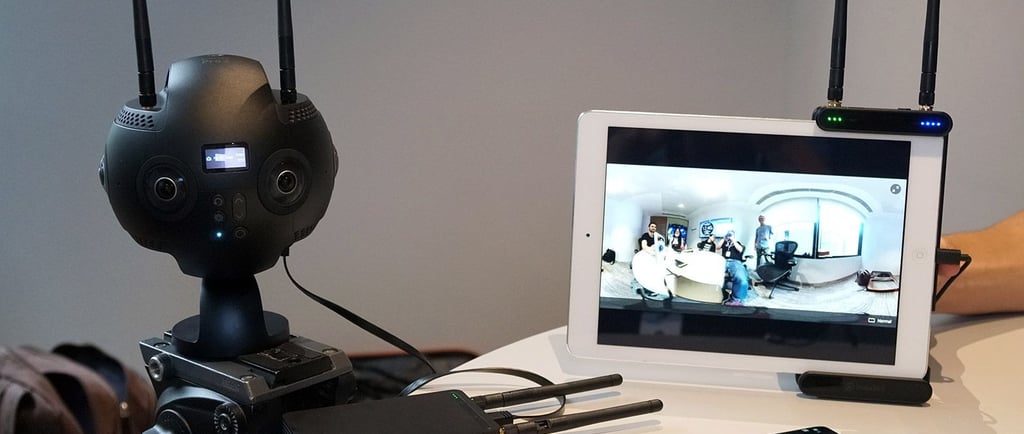
How to Clean the Lens of Your Insta360 Pro 2 Camera – A Step-by-Step Guide for Flawless Footage (Continued)
4. Banish the Stubborn Specs (The Lens Pen Step)
After you've used the air blower, you may still spot a few dust particles clinging to the surface. This is where your specialized lens pen comes in handy.
Use the soft brush end: Gently and lightly sweep the brush tip across the lens surface. Work from the center outward in a continuous motion. The goal is to lift and remove any remaining fine debris.
Avoid excessive force: If a particle doesn't budge with a gentle sweep, do not press harder. The pressure itself could cause a micro-scratch.
Avoid the carbon tip (for now): The circular carbon-compound tip of the lens pen is best reserved for fingerprints and oily smudges, not for loose dust, as you want to avoid grinding the dust into the lens.
5. Tackle Fingerprints and Smudges (The Wet Clean)
This is the final stage, reserved only for those oily fingerprints or stubborn dried-on marks that the blower and brush couldn't handle.
Prep the cloth: Put one small drop of your lens cleaning solution onto your microfiber cloth. Critically, never spray the solution directly onto the camera lens. You want the cloth barely damp, not soaked.
Use a gentle, circular motion: Starting from the center of the lens, gently wipe in a circular pattern, gradually spiraling outward until you reach the edge. Use very light pressure.
Change positions: Since you have six lenses, use a fresh, clean area of your microfiber cloth for each lens to avoid spreading oil or dirt from one lens to the next.
Alternatively, use the Lens Pen Tip: For a small, specific fingerprint, you can use the carbon-cleaning tip of your lens pen instead of the liquid solution. Gently wipe the smudge with the carbon tip. The carbon compound is designed to absorb oils safely.
6. The Final Inspection
You've done the hard work! Now it's time to check your results before powering the camera back on.
Angle Check: Hold the camera under a bright light source and tilt it at various angles. This is the best way to spot any remaining streaks, smudges, or dust motes.
Buff out streaks (if necessary): If you see faint streaking from the solution, use a completely dry, clean section of your microfiber cloth to gently buff the lens with the same light, circular motion.
By following this careful process, you ensure that the complex, delicate optics of your Insta360 Pro 2 are perfectly clean and ready to capture the breathtaking, flawless 8K 3D VR footage you purchased it for! Happy shooting!
🔗 Reference Link for Authoritative Guidance
For official, general advice on cleaning your Insta360 camera lenses, you can always refer to the manufacturer's recommendations:

Experience
Engaging virtual tours for real estate and events.
Innovative
info@360vrphotography.in
+91 9920322366